News
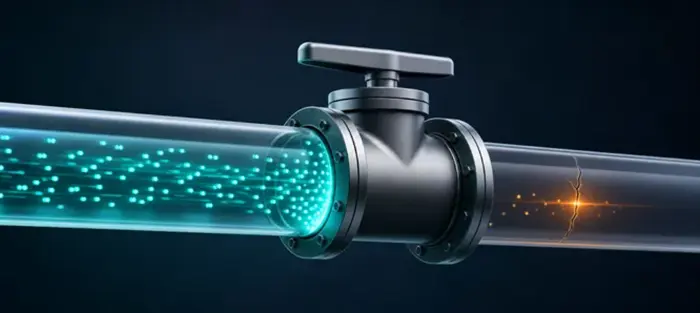
A VPN kill switch (an emergency internet cut-off feature that activates when the VPN connection drops) is designed to ensure that brief connection interruptions do not expose your real IP address or send data over an unprotected channel. Here is what it does and why it matters.
A kill switch is a security feature that blocks internet access if your VPN unexpectedly disconnects. It is a protective mechanism that helps prevent your real IP address and online activity from being exposed until the VPN connection is restored.
The emergency cut-off is built into many VPN applications. This feature prevents data from being transmitted from your device over the regular internet connection if the encrypted VPN connection is interrupted for any reason.
The kill switch constantly monitors the state of the VPN connection. If it detects that the encrypted tunnel has been unexpectedly broken, it automatically blocks internet traffic at the device or operating system level until the VPN connection is restored.
VPN connections are sometimes interrupted due to Wi-Fi or server problems. Without a kill switch, the device could theoretically reconnect to the internet without VPN protection, which completely defeats the purpose of using a VPN.
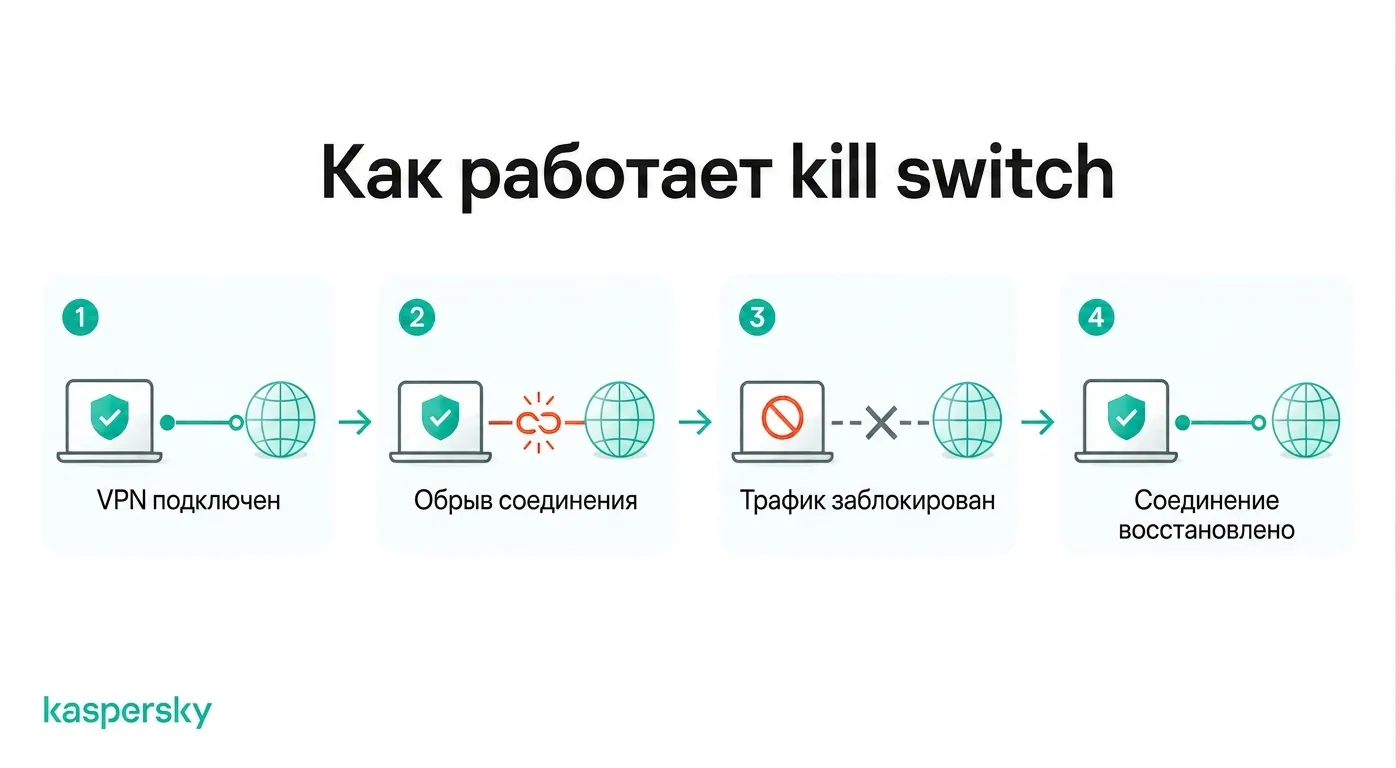
The VPN kill switch should activate automatically whenever the VPN connection drops. Once the protected connection is restored, internet access resumes just as seamlessly.
If you are using a public internet connection with a VPN and suddenly notice that your browser or apps have stopped sending and receiving data, this may mean the kill switch has been triggered. You may suddenly stop receiving WhatsApp messages, or pages may fail to load in your browser until the protected channel is restored.
The feature works automatically in the background. As a rule, once you have enabled it, you do not need to check anything else.
There are several potential risks when browsing through a VPN without a kill switch:
Ordinary everyday browsing usually carries little risk. The kill switch brings the greatest benefit in scenarios where privacy matters: it blocks traffic until the VPN is restored, thereby preventing brief data leaks.
The main advantage of a VPN kill switch is preserving privacy: it prevents accidental data leaks when the VPN connection is interrupted. It is a fallback mechanism in case the VPN temporarily cannot protect you.
This provides peace of mind: you do not have to wonder whether your data was intercepted when the connection to the VPN server dropped.
A VPN kill switch is useful for all users, but it is especially valuable for:
Typical situations in which the kill switch is especially useful:
For those who use a VPN only occasionally, the kill switch is not always critical. Many users prefer to keep it enabled, since it only activates during unexpected connection drops.
No. Providers implement the kill switch differently. Some block all network traffic on the device, while others only shut down selected applications when the connection is lost.
During setup you will also notice that VPNs offer different protection modes. This gives the user a choice between convenience and maximum privacy.
A system-level kill switch blocks all internet traffic when the VPN connection drops. This provides maximum protection: no application can send or receive data until the VPN connection is restored.
An application-level kill switch closes or blocks only selected programs — for example, a browser or a torrent client — while allowing the remaining applications to stay online.
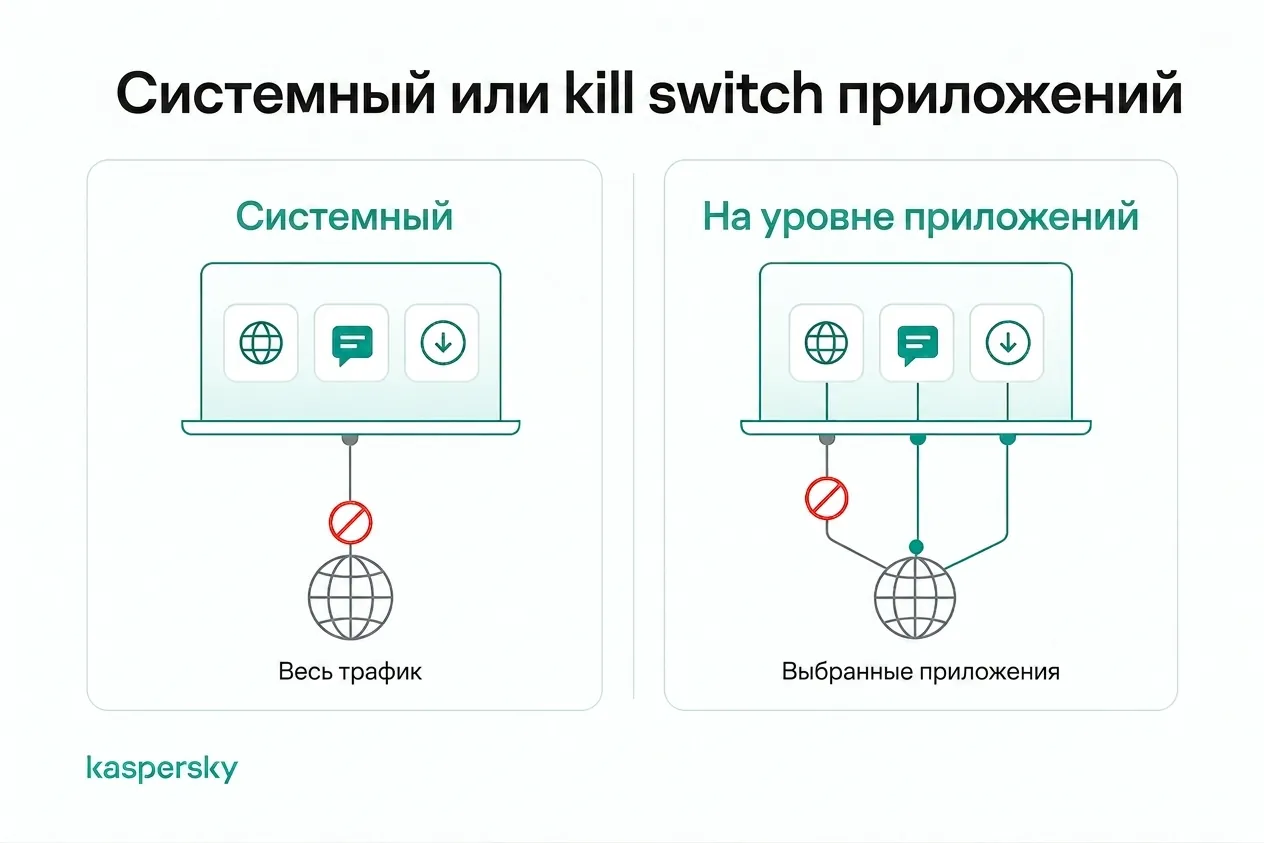
System-level protection is usually better for those who want maximum privacy. Application-level protection is useful if you only need to protect specific activities.
Soft mode activates only during unexpected VPN drops; internet access resumes automatically once the connection is restored.
Strict mode, or a permanent kill switch, prevents internet access whenever the VPN is not connected. There is no per-application filtering — the internet will be blocked even if you deliberately disconnect the VPN.
Soft mode is convenient for everyday browsing and low-risk situations. Strict mode provides the highest level of privacy for those who always want all traffic to go through the VPN.
Choosing a kill switch comes down to reliable operation without constant intervention. The best VPNs also offer flexible settings and let you define the conditions under which the feature triggers.
Look for these capabilities:
Unreliable triggering of the feature undermines the entire purpose of using a VPN. That is why many users consider a robust kill switch one of the key criteria when choosing a VPN service.
It is worth choosing a provider with strong encryption and a good reputation for reliability. The kill switch is only part of a secure VPN; it is also important to have servers in the locations you need and a no-logs policy that meets your privacy requirements.
Kaspersky Secure Connection includes a split tunneling option as well as a kill switch for constant protection of your privacy.
Try it for freeA VPN kill switch is designed to prevent your real IP address and traffic from being exposed when the VPN connection drops. It is one tool in the security toolkit, but not a complete cybersecurity solution.
User behavior and the human factor still matter. A kill switch will not stop malware and will not prevent accidental downloads of malicious files. It also will not protect information that has already been published online. A kill switch works best in combination with other measures: a strong antivirus and the use of mechanisms such as multi-factor authentication to protect your accounts.
There is also an inconvenience factor: the internet connection may temporarily stop until the VPN is restored, which interrupts online activities such as gaming.
If the internet suddenly stops working, the kill switch may have been triggered due to the loss of the VPN connection. This is expected behavior — a sign that the feature is working correctly.
You may also notice interrupted downloads or websites that fail to load until the VPN restores the connection.
Before turning off the kill switch, check the following:
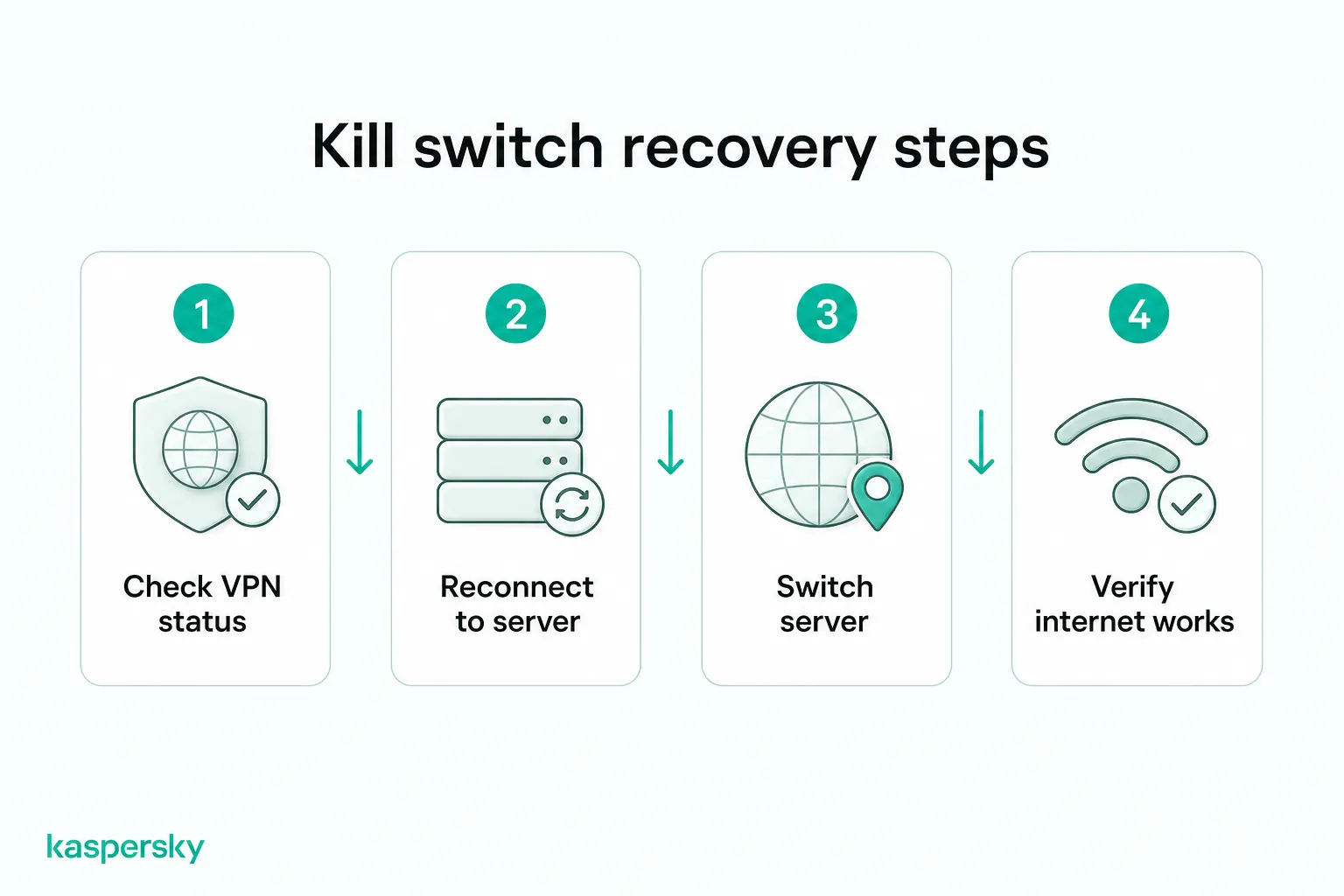
If drops occur frequently, the problem may lie with your network rather than with the kill switch itself.
These features work together but serve different purposes.
A VPN kill switch blocks traffic when the connection drops unexpectedly, helping to prevent IP leaks.
An always-on VPN keeps the VPN connected whenever the device is online, significantly reducing the chance of browsing without protection.
Split tunneling allows selected applications or websites to bypass the VPN, while the rest of the traffic remains encrypted. This can improve compatibility with services that do not work through a VPN.
These options allow users to set the balance between privacy and performance according to their needs.
Useful articles:
Recommended products:
Yes, if privacy matters to you. The kill switch helps prevent your real IP address and traffic from being exposed when the VPN connection drops unexpectedly.
No. A kill switch does not affect internet speed. It only temporarily blocks the connection if the VPN disconnects.
Like any software feature, it can malfunction. Choosing a reliable VPN provider and keeping the app up to date help ensure stable operation of the kill switch.
No. Many premium VPNs include a kill switch. Some free or basic VPN services may not have this feature.
 English
 Русский